Divine Rabbit Size Adjuster Mouse Cursor

by one_zh
view on Steam Workshop
About
A glowing pink rabbit icon with bidirectional arrows, used for adjusting size in the game 'Mabinogi (DIVA)'. This item is part of a collection of utility tools for gameplay enhancement, including mouse controls, weapon management, and other in-game adjustments. For inquiries, contact HP 무광. Use YoloMouse to apply it to your game or desktop.
일반 마우스
https://steamcommunity.com/sharedfiles/filedetails/?id=3814453178
마비노기(DIVA) 생활
https://steamcommunity.com/sharedfiles/filedetails/?id=3814453294
마비노기(DIVA) 기타
https://steamcommunity.com/sharedfiles/filedetails/?id=3814453412
마비노기(DIVA) 무기
https://steamcommunity.com/sharedfiles/filedetails/?id=3814453510
마비노기(DIVA) 무기disable
https://steamcommunity.com/sharedfiles/filedetails/?id=3814453957
마비노기(DIVA)크기조절
https://steamcommunity.com/sharedfiles/filedetails/?id=3814454053
문의는 HP 무광
Instructions
- Install and run YoloMouse.
- Enter Manual tab.
- Find this bundle in the Discover button.
- Assign to your favorite game or app.
Details
- Current subscribers
- 67
- Published
- 2026-10-06
- Updated
- 2026-10-06
Other Basic Bundle Light Red blue Purple
 Mabinogi (DIVA) Mouse Cursor
 Mabinogi (DIVA) Rabbit Emote
 Mabinogi (DIVA) Weapon Disable
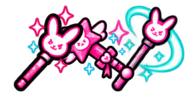 Divine Rabbit Wand Set